Find the sales — and keep every one you've ever pulled
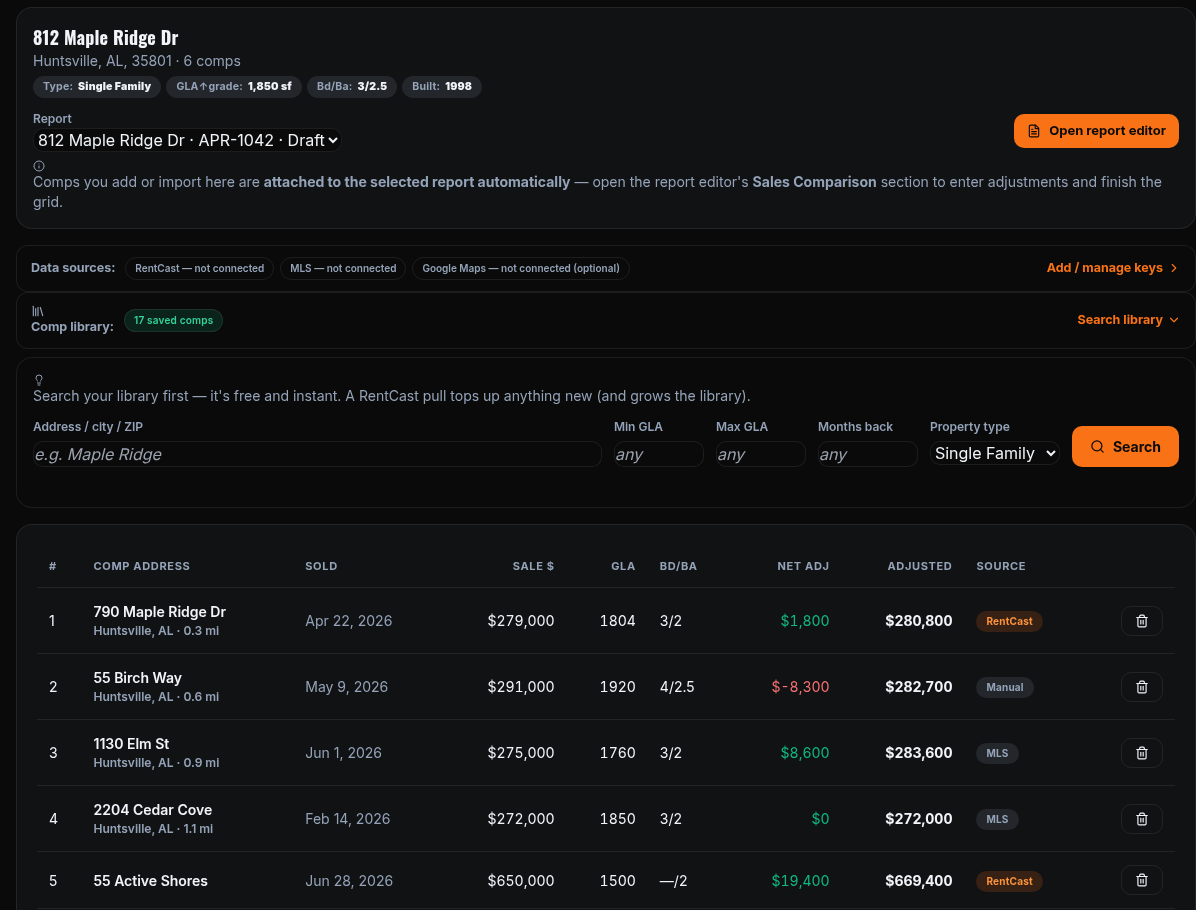
Two independent data paths, both optional and both yours: public-records comps via a RentCast key, and true closed sales via your own MLS's RESO Web API feed (Paragon, Bridge, Trestle, Spark, MLS Grid). Manual entry always works with no key at all.
- Photos while you pick, not after you import. MLS results carry the listing's primary photo. Street-level imagery is screened by capture date first — a comp whose imagery predates construction is flagged before you spend anything on it.
- A comp library with a memory. Every public-records pull banks 25 comps into your private, per-account library — searching the library later is free and instant, and a comp you photograph once stays photographed forever.
- Exclude with replacement. Kill a bad result and the search re-runs to surface the next-ranked sale — no burning a second lookup, no living with a polluted result set.
- Subject auto-fill from public records. Legal description, parcel, lot, GLA, year built, tax data, flood zone, census tract — filled into empty fields only. What you typed is never overwritten.
A sales grid that does the arithmetic — and only the arithmetic
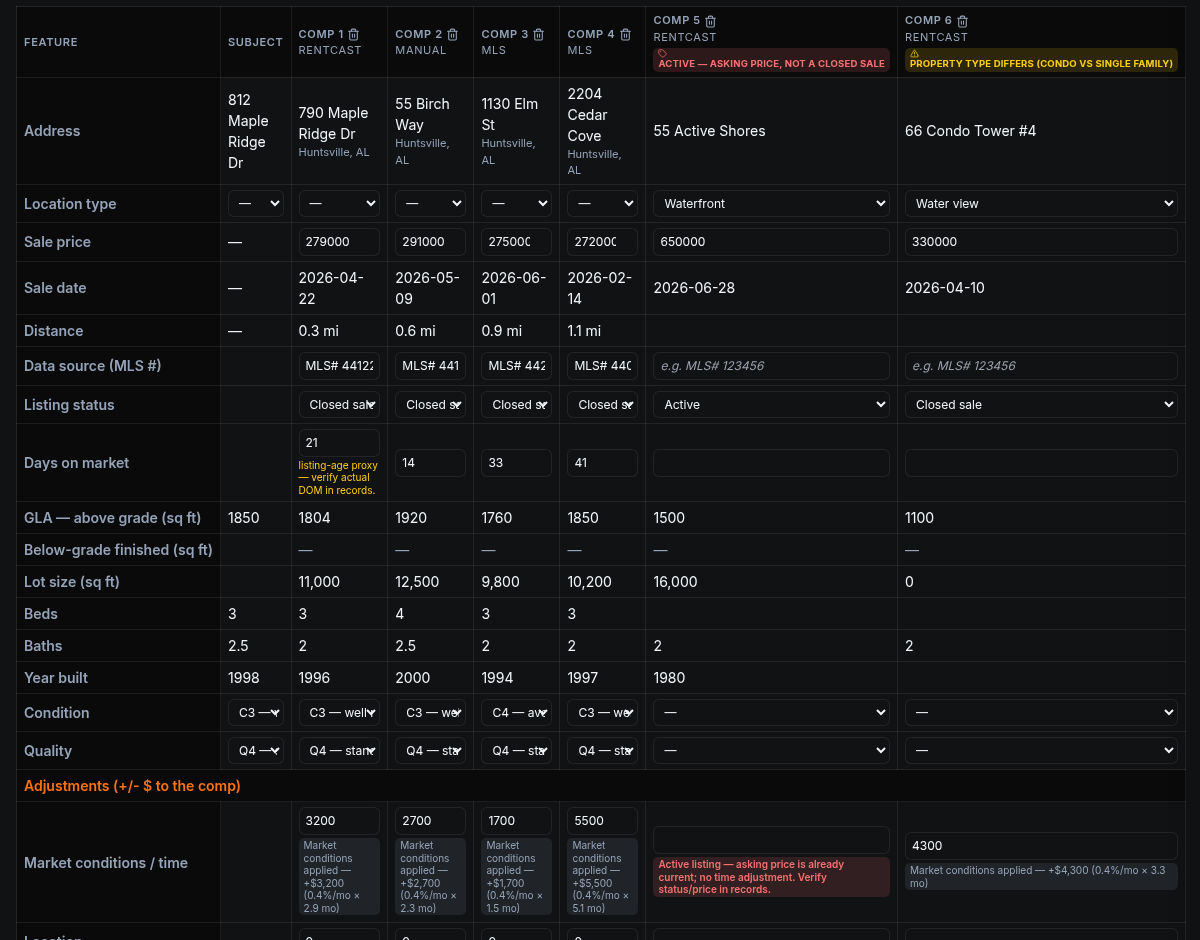
Set your market rates once and the grid prices the objective differentials automatically: market conditions (time), GLA, below-grade area, site, age, bath count, condition, and quality — each on its own typed line, each computed from your rate times the actual difference.
- Full Auto fills empty cells only. Every machine-written value carries a provenance marker; a number you type is never touched, and when a differential disappears the machine cleans up its own math — down to zero if that's the honest answer.
- Judgment stays yours. Location is never auto-priced — there is no defensible generic basis for it, so it surfaces as a prompt instead of a number. USPAP is a design constraint here, not a footnote.
- Data discipline in the column. Active listings are flagged as asking prices, property-type mismatches get a banner, county GLA that may include basement area gets a verify prompt, and any line beyond the 10/15/25% review guidelines gets an advisory badge with a one-click path to the commentary.
- Set-and-forget market defaults. Your rates — including per-location-class land rates — save at the account level and pre-fill every new report. The report always wins locally.
Derivations a reviewer can follow — with the outliers named
Where do the rates come from? From your market, with the work shown. The GLA rate runs a three-tier confidence hierarchy that auto-selects the strongest method your data supports — and every tier prints its evidence.
- Paired sales, by address. Tier 1 lists each pair it used — "364 Oakview Cir vs 312 Cedar Ridge Rd: Δ$45,000 / 500 sqft = $90" — and takes the median of the valid pairs.
- Land-adjusted regression. Tier 2 strips contributory land value at your per-location-class land rates before regressing improvement $/sqft, and reports the R².
- Outliers excluded by name, never silently. A robust screen (median-deviation flag, leave-one-out at small samples, 2σ trim at large ones) excludes a poisoned sale with full disclosure — the address, its deviation, the R² with and without it, and a one-click "Include anyway."
- Time anchored to published indexes. The market-conditions rate can be derived from your comps, then checked against ZIP-level Zillow ZHVI and listing-trend data — and when you adopt an index rate, the citation is written into your basis text automatically.
- USPAP prior-service check. The subject address is scanned against your own order history for the three-year disclosure, client-side and server-side.
- Drafted commentary from the grid. One click drafts a per-comp comparability write-up from the actual differentials — adjusted items as facts, unadjusted items as bracketed asks for your judgment — always labeled as a draft for your review.

The delivery package is the product
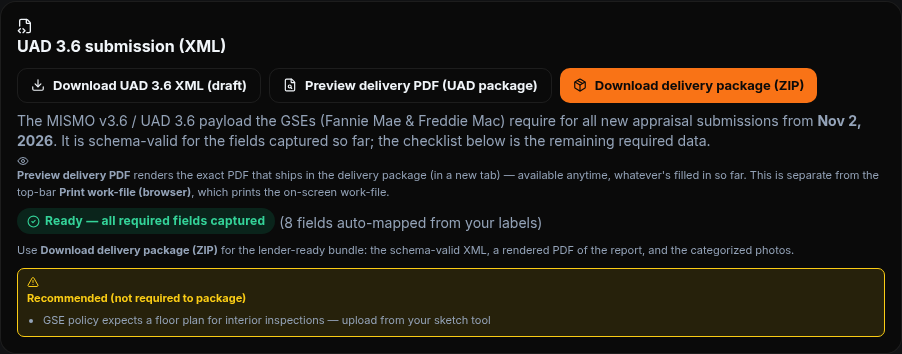
One click builds the lender-style bundle: schema-validated MISMO 3.6 XML, a form-ordered PDF rendered server-side, and every exhibit image categorized the way the submission pipeline expects — all in a single ZIP. The XML identifies AppraiserLogic as the valuation software system, exactly as filed with the GSE Technology Service Provider intake.
- Validated against the official GSE UAD 3.6 schema on every build — typed adjustment lines, exhibit categories, prior-service disclosure, sketch and measurement-standard declarations.
- A live readiness checklist maps every remaining required field to the editor section that fixes it. No guessing why a submission would bounce.
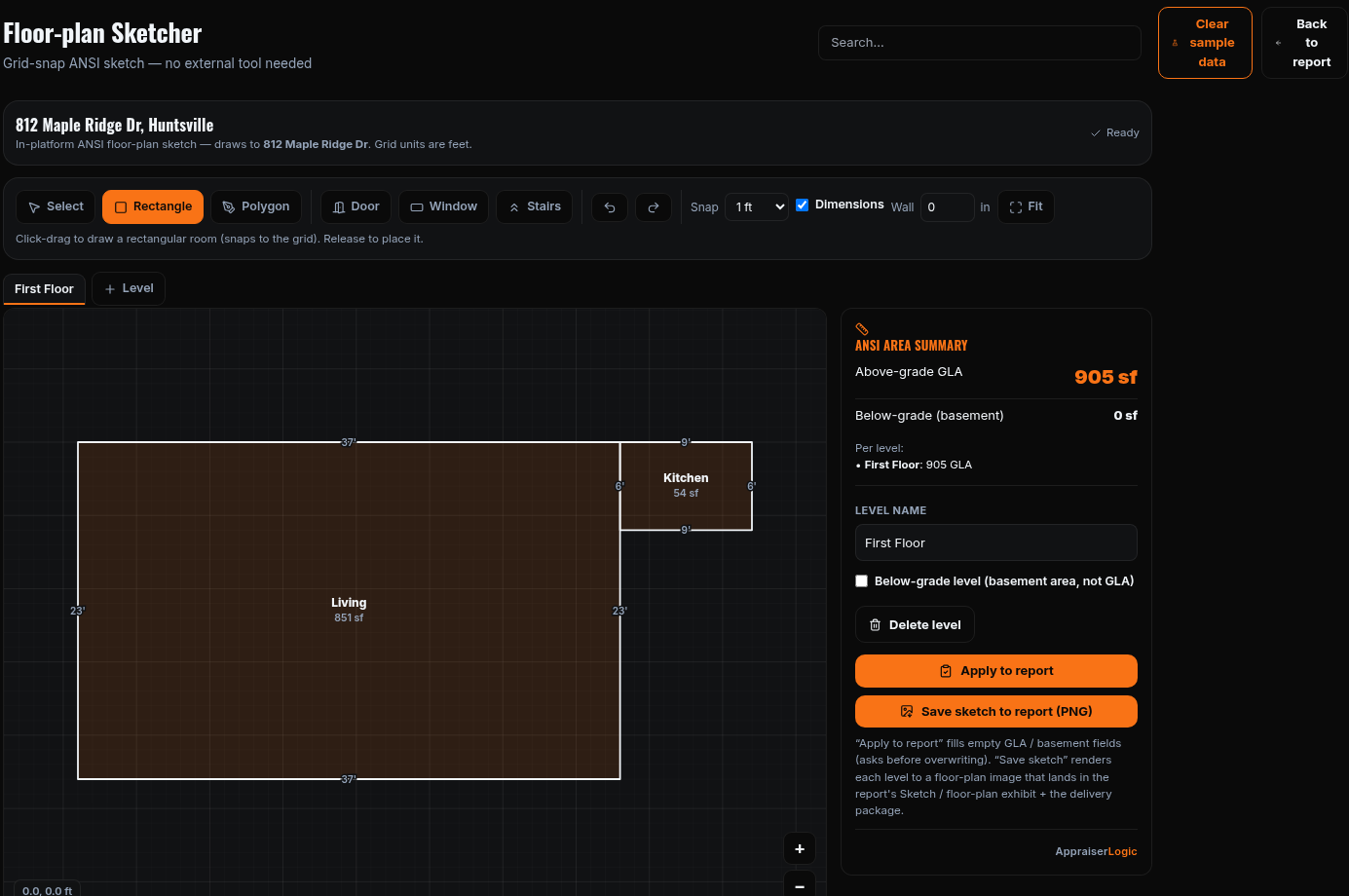
- Floor plans, either way. Draw in the built-in grid-snap sketcher — rectangles, polygons, doors, windows, stairs, multiple levels, a live per-level ANSI above/below-grade rollup — or upload output from CubiCasa, Apex, or TOTAL Sketch, including PDFs.
- Map-pin verification. Drag the subject pin to the true location on an OpenStreetMap view; the location map prints on its own exhibit page.
- Private work is fully served today. Estate, divorce, tax appeal, pre-listing, and PMI-removal assignments get the complete professional work-file now; GSE Compliance API verification is in progress.